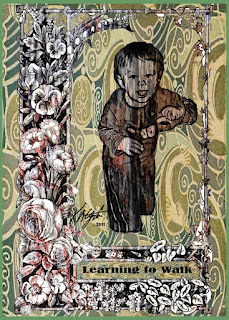
A simple digital collage today of my
Grandson, learning to walk. The floral frame is from
Dover Publications as well as the
Art Nouveau fill. The tree bark texture seen in the frame and my
Grandson is from
Mayang's Textures.I opened the frame in
PhotoPaint and resampled it to 96 dpi for a working size. Then I opened a photograph of my
Grandson leaning on the coffee table in
Painter 11 and applied the woodcut tool to the image. Back in PhotoPaint I cut him out with the freehand lasso tool. I then pasted him into the frame image.
I browsed in
Picasa 3 to my
Mayang's Textures and selected a tree bark texture and copied and pasted as new image in PhotoPaint. There I cropped it to size keeping the texture bold.
I took the image of my
Grandson framed and copied and pasted it into the tree bark texture and made it transparent for the bark to show through. I set all the objects (layers) with Ctrl-Shift-Down Arrow. This left me with a white background.
In
PhotoPaint I opened the fill window and edited the fill, and selected the
Art Nouveau piece. After I pressed OK, I used the fill bucket to add it to the masked in white space. I added the words with the text tool and selected the text as an object to stretch it to fill the space.
----------------
Now playing:
Go Betweens - Born To A Familyvia FoxyTunes


