Pages

Showing posts with label DADGAD. Show all posts

Friday, April 15, 2016

"Gal Playing Acoustic Guitar in a Field" PE5 Plus

"Gal Playing Acoustic Guitar in a Field"


I selected a large photograph of a "Gal Playing Acoustic Guitar in a Field," for today's post. It was very soft in lighting to begin with, but compelling. I opened it in Corel Painter Essentials 5 (PE5.) The first thing I did was apply the Equalize tool, setting the Black point to 25.1%, the White point I left at 100%, and the Gamma at 50%. This added more color depth.

I continued to Adjust the Colors using Uniform Color setting the Saturation to 31%. I saved the large file with a new name. In PE5, I used the photograph now adjusted to paint. Selecting the Watercolor Sketch settings I used a Digital Watercolor Dry Brush to paint.

Next, I used the Soft Cloner Brush to hand paint back in details to the Face, Arms, Hands and the Guitar. I decided I wanted to add more Texture to the image; I applied the Apply Surface Texture. Using the Paper setting, I checked Invert to change the light direction. I picked a Light Fleshtone color for the lighting, creating more warmth for the image and texture.

After applying that, I saved the image again.

I opened that large image in Paint.NET. Here I added my signature layer using the property Additive for transparency. I saved the image with 100% size and compression. Then I resized the image to 72 dpi, 1220 X 813, setting the compression to 75%. I saved that for posting with a new name.

I have been putting my new Martin DRS1 6-String Acoustic Electric through its paces, both Acoustically and along with some jam tracks from QuistJam on YouTube. Playing acoustically I used different tunings, Double Drop D, and DADGAD. I am enjoying this Martin Sapele Guitar! It has great tone and good action for both lead and rhythm playing. I haven't done any recording or songwriting other than some poetry/lyric work lately. I am trying out a new chord progression but have yet to add any melody (singing,) or lyrics for that.

Saturday, January 31, 2015

"Two Women Dual Textured with Map" Corel

Two Women Dual Textured with Map


Another image with layering of a Public Domain Map, showing Michigan and surrounding areas. The Dual Textures are the Map and a Stone Texture from StockVault. (The brownish tint to the Map is the Stone Texture.)

I began with the Women ( from Morguefile) in Corel PSP Pro X3, I used the Threshold tool for white and black space. I left enough detail to satisfy me for their faces and hair. I next copied and layered the Map with a slight change with Curves for the depth of colors.

I selected another Stone Texture and adjusted the darkness of the Stone to a light color before applying the property Burn (or was it Dodge?) one or the other. This gave the brownish tint to the Map.

I added my signature and merged all layers, saving the large iteration. I viewed the full image and found that the Map made a nice border for the sides but too much white on the bottom. I opened in Corel PhotoPaint and added a black border to the entire image. Here I also resampled the image for display with compression set at 75 and smoothing at 33, with the JPG Optimized. I saved that and then posted to "gatzkART!".

NOTE: You may noticed I have another Single Tune For Sale at CDBaby to the right. Called "The Roof," it is a three track instrumental done with my 12-String Guitar in the Alternate Tuning of DADGAD. It is a mellow and soothing Tune that builds to a climax. Go to the link and have a listen to a short excerpt about 30 seconds long. You can buy it there or click off the tab to close the purchase page. Thank you for your considering some of my music.


Tuesday, August 12, 2014

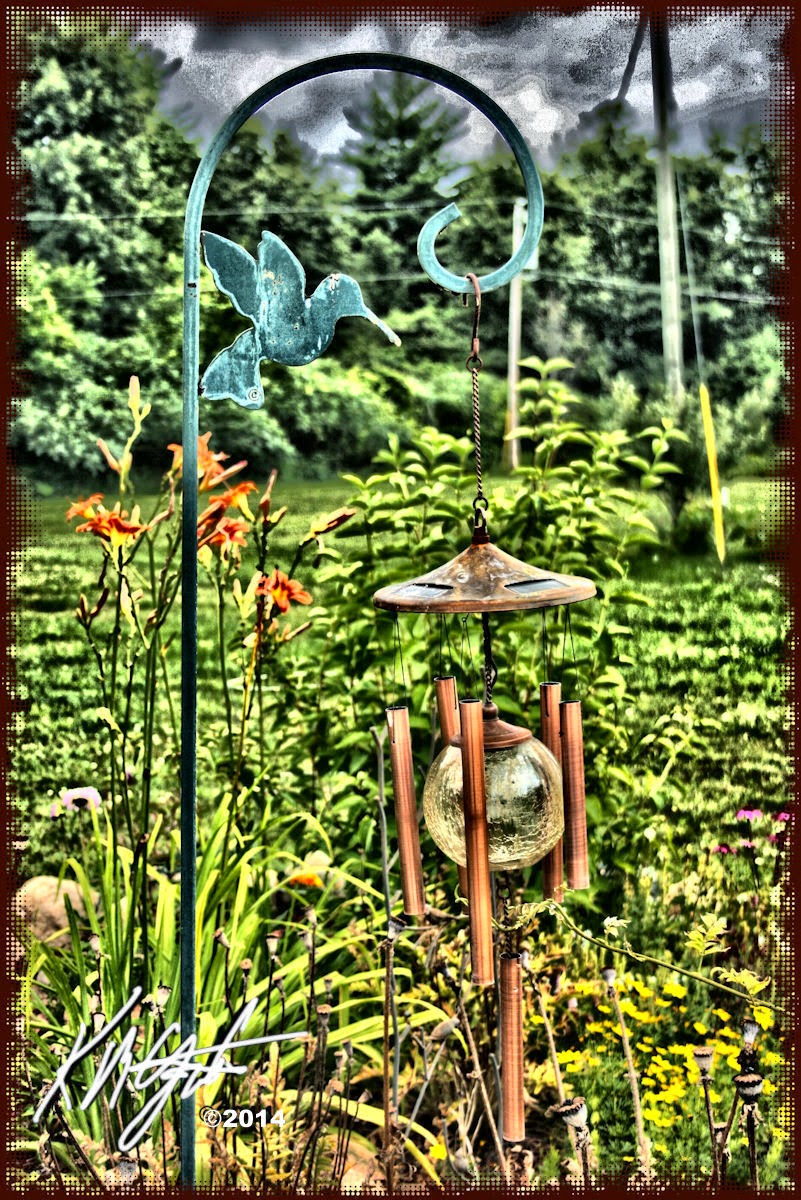
"Hummingbird Hook Globe Chimes" - Corel - "DADGAD Tuning Discussion"

Hummingbird Hook Globe Chimes


I have been very busy this past few weeks. I did this image from a Canon Rebel XTi photograph, taken up North in an area near Clare, Michigan. I opened the photograph in Corel PhotoPaint.

I used the Local Equalization tool on it, then applied the Tone Curve, adding depth to the color. I kept my image processing fairly straight forward. I added a Half-Tone frame with Filter Forge's Frames. I saved the large iteration.

I re-opened the image in Corel PSP Pro X3. Here I upped the color with a Saturation Vibrancy Boost. I added my signature as a layer in Black and then a layer in White. I saved the file in display size for this post.

I also have done some work musically. I now own a used Line 6 Pod XT Live for use with my recording. It is primarily a guitar Pod but I attempted to use the Gearbox software (from Line 6) with it and used a Clean guitar setting for recording with my Shure PG58 Mic.

I played and sang the basis of a DADGAD tune and recorded it with Audacity. Though I am still having some Latency problems with Audacity, but have learned a work around for that until I get my settings right. I then recorded, with my 12-String Seagull plugged in, using a setting called Clean Sweep and laid down a lead track.

I re-plugged in my Shure Mic and did some more vocals in a new track. I adjusted the tracks to match, and Mixed and Rendered to a Stereo file. Saving as a large Wav export and then an MP3 export of a different name.

I shared it with two friends and I have been told it sounded like a late 1960's style tune. Which I don't mind as I like the period of my roots in guitar playing and singing. I was pretty impressed with the results of my experiment with the Pod XT Live and Gearbox, recording with the free source Audacity.


Tuesday, January 15, 2013

"Cyanotype Seagull S12 Cedar Guitar" Corel - Plus

Cyanotype Seagull S12 Cedar Guitar


One of my favorite motifs a photograph of my Seagull S12 Cedar Guitar. I took a number of shots of the guitar, resting on the case, and I took this one without the flash as 400 ISO, with my Canon Rebel XTi. I opened it in Corel PSP Pro X3.

In PSP Pro X3 I applied the Digital Camera Noise Removal and the Smart Photo Fix tools. I created a duplicate layer and applied the Pencil tool for a lightly colored embossed layer. I used the property Soft Light for this layer and Merged both layers.

I then used the Time Machine settings for a Cyanotype photograph on it. Thus the blue end result.

I saved that file and then resized to display size. I opened in Corel PhotoPaint to add my signature in white. I used Papersize to add a 25 pixel blue border to finish it.

I have been playing the 12-String in DADGAD tuning for a while now and really have been having fun with it. I am about ready to tune it standard and try some new songwriting, but I'm still a bit hesitant. I have some new poems that I may be able to work into lyrics with the right chord progressions and melody.

I have room on SoundCloud to add at least one more song on the free version. It would be satisfying to do that with a new tune. We'll see.

Tuesday, January 1, 2013

"Seagull S12 Cedar Guitar" Corel - Plus

Seagull S12 Cedar Guitar


Trying out different settings on my Canon Rebel XTi DSLR today and using my Seagull S12 Cedar Guitar as a subject, I garnered a few photographs. I selected one of them and opened it from Picasa 3.9 into Corel PSP Pro X3.

There I used my workflow of the Digital Camera Noise Removal, and Smart Photo Fix. I applied the Saturation Vibrancy to it to give the color some punch. Using the Picture Frame tool I found the "mat" of instruments and a gold frame. I saved the large file.

I reopened in Corel PhotoPaint and added my signature and resampled for display.

I have the Guitar out and I am going to do some practicing with it this afternoon. That is a great way to make my day a good one. DADGAD tuning here I come.

Friday, December 14, 2012

"The Old Days, Montage" Corel Quadtone

The Old Days


Another short post for this day as well. Here is a "The Old Days Montage," I created using Corel PhotoPaint. I took two old photos of Ortonville and applied the Quadtone tool to them. Then I superimposed them in Picasa 3.9 as a collage/montage. I used Blackladder ITC font for the name in the corner back in PhotoPaint. I changed this image to RGB mode and using Filter Forge's Frames I added a film frame to the piece.

I also was able to get out my 12-String Guitar the other afternoon and it was in DADGAD tuning so I explored some differing lead and chords on it. I have some chords memorized for that tuning, but I love discovering new fingerings for chords. So I enjoyed myself playing some improvised chords and leads. Coming out of a musical slump now and it feels good.


Saturday, August 21, 2010

On the Avenue - Woodward Dream Cruise


I guess that our plans for more Dream Cruise photographs for this year's annual gathering of custom and pristine old cars are amiss. It appears that not any of us will be making it to Woodward.

So I offer another couple of photographs taken by my brother Kent M. Gatzka from 2009's Dream Cruise. I again used PhotoPaint and Paint.NET as well as KPT's Collection Lens Flares coupled with the Ink Sketch filter for these. I added Filter Forge's film frames to both also.

I cropped in on these great cars to show them at their best and took out distractions, and adjusted the size for display here on the blog. Don't forget to click on them for the larger versions of them as they are at a decent size for display.

We are all disappointed that we will miss this years Dream Cruise. I was hoping for more great photographs to use for your viewing pleasure. I still have a few from 2009's that I haven't used but going is part of the fun!

Listening --- Til It All Comes (Runs) Together DADGAD --- Kirk Mathew Gatzka


Friday, July 23, 2010

LiveBrush - Watercolor - Painter 8


As I worked with LiveBrush (see previous post for link to the free Lite version) I created this plants and tree scene. I've enjoyed using LiveBrush for a few images to share. I like the lineart it makes as you try to compose an image that makes sense.

After I did the lineart work I opened it in Painter 8 and added the watercolors using a couple of different brushes at varying sizes. I added a watercolor frame from Filter Forge in PhotoPaint and reopened in Painter to Apply Surface Texture> Image Luminance>.

In PhotoPaint I used the Tone Curve to increase the depth and a touch of saturation increase as well.

For fun I've also included an image from Dover Publications of a Degas painting with an overlay of lineart both from Dover. I used PhotoPaint to open both images and then copied to the clipboard the lineart and pasted and adjusted that into the painted version. It was actually a page to print out and color by hand but I merged the two together for an interesting use of Dover clip art.

I got my 12-string out late yesterday night as I could not sleep and I tuned to DADGAD and used the new chord chart I recently downloaded. I learned some new chords, found some I was already using and found out I had made up a few of my own that aren't listed on the chart!

The tones you can get playing DADGAD tuning are just marvelous and as my wife said, "very pretty."

As always I enjoy learning new things for the guitar and truly enjoyed myself playing in this tuning. I improvised as well playing notes while strumming and flat picking at varying speeds and styles. Wonderful fun!

Friday, October 23, 2009

Change of Pace - Autumn Squash - Corel Painter 8 - Visit to MotorCity Guitar


Autumn is the time for pumpkins and squash. My wife had purchased some squash and I took a couple of photographs of them grouped together against the backdrop of our Corian counter and our red kitchen wall.

I thought it would make a nice simple painting. So I opened the photograph in Painter 8, cloned it and selected all and cleared the image the deselected it. I used the tracing paper for the image. I was using the Digital Watercolors brushes to rough in the painting.

After I roughed it in I added some soft cloning to bring back some of the details of the squash. I used the Texture Spray clone brush to add some texture to the squash. It was a very straight forward painting.

I visited Motor City Music store of Waterford, Michigan, the other day and played some fine guitars. I would like to add a 6-string as an additional guitar so I was looking for one. I first
picked up a Seagull 6-string and tried that one out and since I like my Seagull 12-string I really found this one to be easy to play and comfortable, too. It had a full sound with a good balance of bass and treble tones.

I played some Taylor's and Guilds, an Ovation and a Takamine 12-string. I truly enjoyed my visit and pricing guitars I found that the Seagull was the best priced and one of my favorites along with one of the Taylor's, which was more expensive.

I always test out the 6-string guitars with the Drop D tuning and Double Drop D and the DADGAD tuning. I use the standard tuning as well and they were impressive guitars all reasonably priced.

I jammed with another customer who played some lead to my rhythm guitar. We did a little blues and folk rock.

I would like to own a electric guitar too but I did not try any out that day, just the acoustic and acoustic electric guitars.

----------------
Now playing on Windows Media Player: Kirk Mathew Gatzka - Photographs
null

Saturday, October 17, 2009

Trio - Floral Grunge - Portrait


Today is a cool overcast day here, the lake view is one of gray on gray reflecting the clouds in the waves and movement of the water. Some autumn color from this side and the far side of the lake is attractive and warm.

This image I am presenting today was made using CorelTRACE and CorelDRAW along with Paint.NET and Painter 8 with PhotoPaint as well.

This started as a photograph (taken by myself) of a trio who were at a wedding anniversary celebration. I opened the larger photograph in PhotoPaint and resized it for work on a web based image. Saving that file I opened it in CorelTRACE and turned it into a vector based image cmx format.

Using CorelDRAW I ungrouped the vector pieces and deleted some of the background to give me a white field to work with. I exported the vector - regrouped - to a jpg file format and using PhotoPaint I cleaned up some of the white field to be able to add to that background later in the process.

Saving that I opened it in Paint.NET to use the Effects> Artistic> Ink Sketch> filter on the image for line work. I then used PhotoPaint to mask the white field and inverted it filling it with the floral grunge background from Autumnights.

I opened that file in Painter 8 and Cloned it then using the clone I Auto Painted the whole piece with a Calligraphy pen for a painterly feel. Using the modified photo I had created I further changed the Auto Painted image to add back in details like the facial features and the floral and clothing detail. I used Charcoal brushes in differing sizes to add back the detail.

In PhotoPaint I used the Tint brush to add a bit of the green from the floral background to the trio to balance the colors out.

I added my signature and here is the finished piece.

----------------
Now playing on Windows Media Player: Kirk Mathew Gatzka - Basic Dirt - DADGAD
null

Wednesday, September 23, 2009

Zoomies Boot - Custom Car - Chord Progression


Tried Twitrratr (sp?) for my Twitter rating and received an A+ a 98/100 rating. Needless to say I was very pleased with that. My average tweets were low though so I guess I don't have that much to say on Twitter. But my content is good!

Today's image is a continuation of my classic custom car grunge series. It's titled "Zoomies Boot." The "Zoomies" comes from the license plate, and "boot" comes from what the English call the trunk of the car.

Once again I used Paint.NET's Artistic> Ink Sketch filter for the inked look. I applied, in PhotoPaint, a broken dryed mud texture from Grunge Textures. Added some text, the title and a guitar chord progression with a snippet of a poem. I used grunge fonts for the piece.

Yesterday I worked on a song called: "Crushing Me," about a stress filled situation. The title tells most of the story. I used the DADGAD tuning so it sounds very mournful and droning. It got out some of the stress and was helpful to sing and play and record it. It wasn't meant to be a happy theme.

----------------
Now playing on Windows Media Player: Kirk Mathew Gatzka - Crushing Me
null

Monday, September 21, 2009

Man with Tie - Circa 2007 - Digital Manip


Another of my images from 2007, as I try to find time to make new images, these are in review. This is a Digital Manipulation and Painting from a photograph taken by my son Keir M Gatzka.

I utilized CorelTRACE on this piece to give it the posterized detailed appearance. I painted it in Painter 8 as well. I arrived at the colors by using KPT's Collection and an invert, if my memory serves me right.

The piece reminds me of the Blue Group somewhat but that has no relevance to the creation of it. Just concidence. I have garnered some interest in the image from various sources, so I decided to share it today.

The original is 3200x2648 pixels at 7.5 megs, 300dpi. So I resized it in PhotoPaint for display here. It is also displayed on my Fine Art America Gallery, where I have only a few pieces showing.

Last night I got out the 12-string guitar and played around with some chord progressions like:
C Am C Am F G and Am G Bm C D Em. Then I tuned to DADGAD and played some more before retiring to bed.

I also have had my Beatles song book out recently and have been plucking around with song's like "Mother Natures Son." Fun to do, trying out differing Artist's music.

Playing the guitar is very relaxing if you are not playing uptempo chord strumming. I haven't written any new lyrics, I have been busy with other projects and nothing has come to mind of late. Funny how that can happen to you, I guess I'm in a musical dry spell after a year and some months of creativity with some good songs under my belt.

----------------
Now playing on Windows Media Player: Kirk Mathew Gatzka - Watch the Wind Blow By Cover
null

Saturday, August 8, 2009

Muscle Cars 1971 Classic - Grunge Design


"Its about Horse-
power,"
he said on his cell phone, "You Gotta Come See It!" Yes, Detroit Iron, Muscle Cars and Speed! Its all at the Woodward Dream Cruise on Woodward Avenue this August in the Detroit Metro area.

This image continues my motif of Grunge Design with the Classic Cars theme.

I used PhotoPaint for this piece, a photograph taken in 2006 by my son, Keir M Gatzka. I started out using the Image> Transform> Threshold> filter to create a black and white image of this 1971 Muscle Car. I added color by using the selection wand on the white in the image to mask the black out, and Harry's Plugin filter Gradients> Mystic Mountain>. I applied the Effects> Custom> Alchemy> filter for the painterly appearance for some of the colored areas. I added some paint splatters using a font called WC Rhesus B Bta sizing them large enough then as an object I used the Effects> Distort> Wet Paint> filter to add the drip factor.

Late last night I picked up my 12-string guitar and played using the DADGAD tuning at first then changing to the Double Drop D tuning, and on to the Standard tuning. I played around with the tunings improvising chords and lead. I used a chord progression I have already shared on this blog with a little change to it, uptempo and nice.

No recording but I did almost write something with the chord progression. I have the kernel of an idea percolating in my mind. We'll see what comes of it if anything. Seems I come up with ideas when I should be sleeping.

----------------
Now playing on Windows Media Player: Kt Tunstall - Another Place to Fall
null

Wednesday, August 5, 2009

Moose no Squirrel - Grunge Humor


Alaskan Moose mostly don't have Squirrels as friends, not like Bullwinkle who had Rocky. My friend Dan inspired me to do this, he commented on a photo painting I did - something about a moose - so I remembered my Alaskan Moose photographs.

I decided to use a sandy grunge background in PhotoPaint and created the Pencil Sketches of the moose in Paint.NET. Then I instantly thought of Bullwinkle and Rocky ( name reversed because of subject being the moose.) I added some quotes I remembered from the show. One of the great cartoons of it's time.

I used the object properties of Color Burn for the overlaid pencil sketches. Adding a couple of Grunge fonts and I had a piece to share.

Personal note: I have a toothache and the Dentist says Root Canal. I am not too happy about that, as you can imagine, it hurts even with pain medication and antibiotics. So I hope for a quick change of that situation. Doesn't put you in the mood for working on music. Except maybe a song about it!

Still tuned to DADGAD and have been having fun with that tuning. Presses beyond your comfort level, to some creative highlights. Nice.

----------------
Now playing on Windows Media Player: Kenny Loggins - Playing With The Boys
null