Pages

Showing posts with label Steampunk. Show all posts

Monday, January 12, 2015

"Tired Man Collage" Paint.NET - Corel

Tired Man Collage


This particular image is of a "Tired Man," with Collage items added for interest. The face is from MorgueFile and the paper texture is from StockVault. The others, the woman, ferns, steampunk balloon, are all from Dover Publications Sampler Clipart. 

I did the majority of the layering and placing of the individual pieces of this little Digital Collage in Paint.NET. I started with the man's portrait, I flipped it horizontally first. Then applied the Outline tool for the reverse color. (It was Black and White to begin with.) I added the colored Paper Texture as a second layer. This placed the Portrait in the upper left hand corner, as the texture was a larger file.

Rather than adjust this I decided to search for some Clipart pieces, to make a Digital collage, on my External Hard Drive. After some time I picked the pieces here at random, hoping the viewer would make up a storyline for the resulting image.

I used Multiply as the transparency property on the layers, including my signature. I did some Curves adjusting still in Paint.NET then saved the large iteration.

I reopened that in Corel PSP Pro X3. Here I boosted the colors with Saturation Vibrancy set at 33, and I again touched it up with Curves for depth. I saved again and opened in PhotoPaint, after adding some Image Information.

In PhotoPaint I resampled the piece for display. Saving the Medium sized image compressed by 75 and smoothing at 33, for display here.

After viewing the image of today, click HOME and scroll down - Please don't forget to View my new video slideshow, a retrospective of some of my 2014 artwork along with a soundtrack of an Original song I wrote and recorded, "Reality Show." It is only vocals and my Seagull 12-String guitar, I wrote the lyrics and used an upbeat chord progression for the song. Simple is sometimes better, I did not add any lead or piano to it. 

Click on it and go to YouTube and like it for me, and comment on the Artwork and the song there if you wish! Thank you.


Wednesday, April 16, 2014

"Grunge Steampunk Woman Portrait" Corel

Grunge Steampunk Woman Portrait
Vintage Paper


I decided to create a similar image as the recent posts I have done. I chose another Digital Visual Collage with StockVault Woman Portrait and Dover Publications SteamPunk coloring page, along with a Vintage Paper Texture background.

I opened the Young Woman photograph in Corel PhotoPaint and applied the Threshold tool for the white space. I cropped the portrait to fit the Vintage Paper Texture, selecting only a close up of her face.

I then chose the Dover Publication coloring page of a SteamPunk Octopus-like creature with a great border. I applied the property of Multiply to this and fit to the image.

I next used Filter Forge's Photo Effects Grunge on the merged image and that added a great patina to the image. It also deepened the colors creating additional mood.

I added my signature in white and saved the image at 300 DPI. Re-sampling to fit my post I concluded my workflow.


Tuesday, January 14, 2014

"Steampunk Art Deco Collage" Dover - Corel

Steampunk Art Deco 1

Something different for my post today. I decided to scan in an Art Deco plate from Art Deco Designs / Edouard Benedictus. I used my Canon MP495 to scan in the Art Deco plate. I selected from my Dover Publications Samplers two persons in Steampunk Underwear. I opened the scan in Corel PhotoPaint.

There I assembled the Collage. I copied and pasted the gal and guy and erased the background before merging them. I added Birds to the upper right corner also from Dover. I also searched for other unexpected pieces and found an old Building and Trees Landscape Pencil sketch in my Picasa 3.9 folders.

I copied and pasted that from Picasa and resized it to fit the entire image. I applied the property Multiply and altered the Opacity and added it to the collage. I added my signature to the piece and saved the large iteration. I resampled to a size for display here.

Art Deco - Steampunk - Dover - and a Freehand Pencil Sketch in Sepia tone, all combined in an unusual Digital Collage.

Friday, May 17, 2013

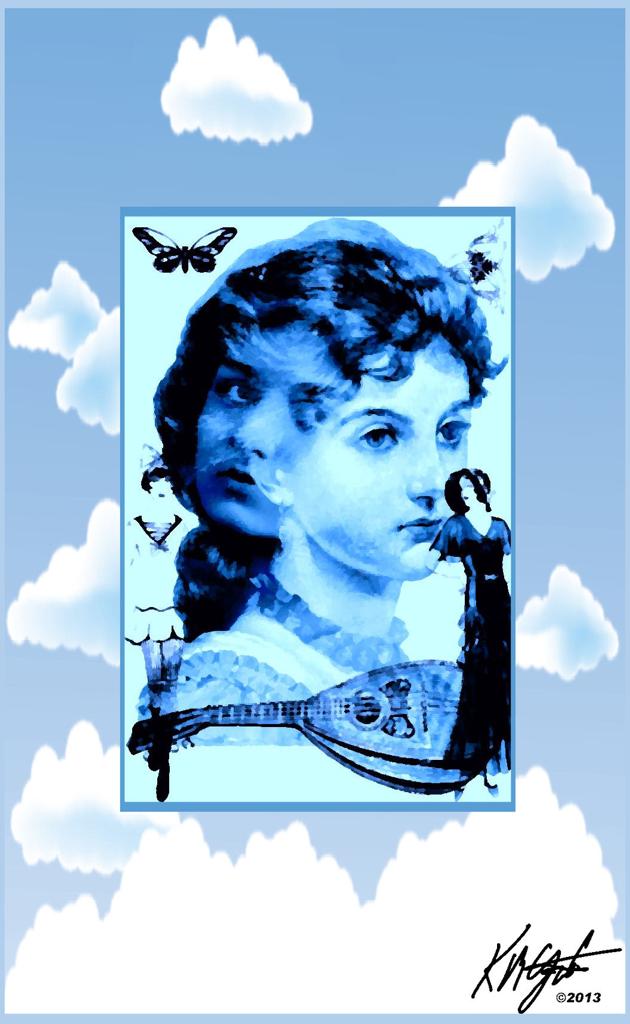
"Gypsy Woman Digital Collage and Linux Experiment" Corel - Plus

Gypsy Woman Digital Collage


Recently we received a Dell Latitude X300 throwaway laptop from the garbage. It's screen is broken with an "S" sized crack that blacks out part of the screen.

It had a password protected Bios and Windows 2000, also password protected. I was able to go to Linux as a way to break into the OS.

I made an Ubuntu boot disk, LinuxMint boot disk and a PuppyLinux boot disk and all failed with a PAE kernel failure. With some consultation with a friend I got SnowLinux Non-PAE E17 boot disk made and it booted and took a few hours but I finally made the laptop HDD bootable.

I also had been given a VGA flat screen monitor, that I plugged in and it worked so I could see all the screen. The only drawback is that the battery does not work and the AC adapter is from my wife's laptop, which has no battery! So I have to share that adapter!

I am still learning SnowLinux and it's capabilities. But It did take me away from creating for my blog.

Today I have time to create. I took two ladies faces, one a free Vintage Gypsy, and another a Steampunk image from Dover Publications Sampler. I merged both as the central focal point in Corel PhotoPaint. I added two dressed women, a flapper and well-dressed lady.

Also from Dover Clip Art I used a mandolin, matching the Gypsy aspect. And a butterfly and a corner Victorian sample to the upper corners.

In PhotoPaint I made it into a quadtone and then converted to an RGB image. I took KPT's Collection Pyramid Paint and painted the image with a blue tint.

Saving this image I opened it in Corel PSP Pro X3 to add the cloud and sky frame. I added my signature to the image using the Visible Watermark and a PNG file.

I saved the large iteration and resampled for display.

So after my adventures with Linux (which I am still learning) I had time to create this double faced woman's portrait for your enjoyment.


Friday, January 6, 2012

"Yellow Burnt Guitars Steampunk Grunge" Digital Collage - Corel PhotoPaint Plus

Yellow Guitars Steampunk Grunge

Today' image is built out of a number of pieces. I started with a scratched Yellow metal paint texture from Mayang's Textures for the background. I added a quad guitar piece, which I used the Color Burn property on. Then I added some sheet music that I got from my Dover Publications Sampler folder.

I also found a scrolled Sign in the Dover Clip Art and added that using the property Multiply, enlarging it to be prominent. I went to my Leonardo folder for the Head and cut and pasted that into the piece. I added an old camera, a sausage hand cranked tool, a measuring tool and the couple at a table. These also came from my Dover Clip Art.

I added my signature and saved the large file, resampled for display here all in Corel PhotoPaint. Of course, I used Picasa 3.9 for browsing and selecting the pieces for the image.

Please feel free to read my new additions to the blog, my "About" page, which is an upgraded discussion explaining who and what I'm about. And the "My Art For Sale" page which describes how you can collect a piece of my artwork printed as a poster or on products. Thanks for your interest!

Listening --- Edward Sparks --- I Won't Go There

Wednesday, November 23, 2011

"Steampunk David" Digital Collage - Corel PhotoPaint Plus

Steampunk David

"Steampunk David" is the title of this Digital Collage. I opened the photograph of David from Picasa 3 with Paint.NET and played around with the threshold and color. I ended up with a black and white representation of him.

I browsed in my Dover Publications Sampler folder using Picasa 3 and found an example of  a Steampunk image that I opened in PhotoPaint. I increased the resolution to 128 dpi and enlarged the image.

Back in Paint.NET I selected all and copied the modified David image and then pasted it into the Steampunk image.

I found other Steampunk images and did some copy, paste, erase on them and added each one to the David image. I used the property of Multiply on two of the scraps and also Replace Color on the man with the crane and clock.

I merged all the pieces together in PhotoPaint, then used Filter Forge's Photo Effects Vibrance to give some punch to the colors. I added my signature and saved the large file.

I opened that with Corel's PSP Pro X3 and applied the Image Picture frame, using one of my favorites, the ornate frame. I then resized there for display and saved that file.

Listening --- David Bowie --- Changes

Monday, October 24, 2011

"Steampunk Experiment II" Corel PhotoPaint

Steampunk Experiment II

I discovered this diamonds light grunge texture online, I love the colors. I opened it with Corel's PhotoPaint and went to Picasa 3 and browsed to my Leonardo folder for some diagrams and lettering. These are DaVinci drawings. I enlarged them and darkened them,after copying and pasting into the background, using the Tone Curve. I applied the property Color Burn to them each, lining them up. I then searched my Dover Publications sampler folder and found four more pieces to add to my Steampunk Theme. 

I used Color Burn on the flute players and Subtract on the car, I made the car smaller and lined it up with the DaVinci drawing. I added the harp player keeping the color. I feathered that piece. The Art Nouveau woman in the circle I added next shrinking it to size.

I like the DaVinci influence for Steampunk, adding his genius makes for a great image. The music themed images and the car don't fit at all until you add the Steampunk Theme.

I added a 70 pixel brown border and used Filter Forge's film frame to frame the piece. This was all to size from the beginning size of the background texture. (Adding 70 pixels made it slightly larger.) All in all not the largest image I've worked on. I completed it with my digital signature.

Listening --- Jethro Tull --- Thick as a Brick

Friday, October 21, 2011

"Steampunk Experiment" Corel PhotoPaint - Corel PSP Pro X3

Steampunk Experiment

I received some Dover Publications samplers recently and among them were some Steampunk clip art. I browsed with Picasa 3 to my Mayang's Textures and selected one. I cropped it in PhotoPaint. I used some of the clip art and cut and pasted into the texture. Using the Tone Curve I gave each one more depth. Then I altered the colors of the pieces with Color Replace.

I endeavored to make a balanced composition with each piece placed individually. I used Filter Forge's Photo Effects Vibrance for color punch. I saved the large file and reopened in Corel's PSP Pro X3 and added the frame. Back in PhotoPaint I added my signature and resampled for display.

Listening --- Bobby Freeman --- Do You Wanna Dance