Pages

Showing posts with label drawing. Show all posts

Saturday, April 23, 2016

"Digital Collage of Images Created with PicsArt App" Picasa


Collage of Images


While ill I created some images on my Tablet using the PicsArt App. I enjoyed using this App so much I got the Windows 10 version installed now along with AutoDesk's Sketchbook on my computer.

I did quite a bit of layering and using of PicsArt filters to create each image you see in the collage. I used polygon tools, mask layers, some clipart, some hand painting as well. Each piece will stand on its own, but I wanted to show the versatility of PicsArt.

I like the selection of tool for each thing you may want to do. I can "Enhance," a photograph, with a simple click, alter the strength of the changes with embedded tools. I can adjust Curves for RGB or the differing colors Red, Green, Blue individually.

I add layers directly and quickly by adding a photograph, with the selection of different properties, and adjust the opacity, too. Free clipart comes with the App as well as some great Fonts.

And the App will let you buy more Fonts and Collections for only about $00.99 each. I have not purchased any additional ones myself, and I am still finding many ways of creating great images without adding any yet.

PicsArt also has many #freetoedit photographs to offer to the user. I used some of them and some from Pixabay, and Unsplash. It also has multiple FX, Artistic, and other Filters to apply to your works.

I created the Digital Collage with Picasa 3+, which is no longer being supported, but still the current version works fine. After creating the Collage I saved it and opened it with Corel PhotoPaint. There I resampled from 120dpi to a 72dpi image, 1220 X 763. I saved it as an Optimized JPG 75 compression and 25 smoothing. I saved the display image with a new name.

As you share your works with the PicsArt Community, you can set it up to share with your other Social Media, too. I share with my Facebook timeline each time I post a new image to the Community. You can select how and where to share.

One other thing to mention is PicsArt App allows you to create Gif Animations of your creations in a step by step manner. Gif Animations are not accepted everywhere but are great fun to create.


Saturday, March 5, 2016

"Old Man Reading" PicsArt App

Working with the Tablet Galaxy Tab S 8.4, I used the Artistic Sketches tool. This gave me the opportunity to paint on the Old Man Reading.

I selected the option to draw with a brush and I adjusted the opacity. I chose the colors carefully and I left the background sketch like to focus on the Old Man.

This will probably be a large piece on the blog. I have not been able to figure out how to make it smaller.

Using the Blogger app for Android devices. A few tricks to get down yet.

Old Man Reading

Friday, December 18, 2015

"Digitally Painted Doors Digital Collage" Painter Essentials 5 - Picasa Plus

Digitally Painted Doors Collage


I created this collage from free photographs that I got from Unsplash. Some of them I had done earlier, and as I wanted to present a Digital Collage of a Series of Doors I did a few more.

The Aqua Door and Windows with the Ocher Wall I opened in Painter Essentials 5. I used the Artist Brushes set, with Impressionistic Blender Jitter brush. I also used the Photo Painting Brush - Soft Cloner for details.

In the upper right hand corner, the Brown Door and Shutters I opened in Painter Essentials 5. Here I applied the Watercolor Sketch set with Photo Painting Brush, Grainy Variable Pencil selected. I used Picasa to up the Shadows and in Paint.NET I added my signature layer with the property Multiply for transparency.

On the Burgundy Door with Foliage I used GIMP's Oil Paint and added Texture to the entire image. Very simple changes in color with Saturation and Curves for depth. (Lower right hand corner.)

The Green Door and Windows with the White Wall, I used Painter Essentials 5, Watercolor Sketch with Photo Painting Brush, Chalk Cloner. Then I added a touch of the Colored Pencil Drawing set using a Grainy Variable Brush. In Paint.NET, I again upped the Saturation and depth with Curves.

I grouped the images all in their own Folder named Doors. Opening Picasa 3+ I selected them all and chose Create Collage, Repositioned a couple of the images and made the large Digital Collage.

I used Irfranview to resize the JPG file for display at 72dpi.

I am now pretty satisfied with my slight penchant with a Doorway Series, as this Digital Collage served to create differing views of Doorways and Windows. I invite you to click on the image for the larger view, and to see more of the details of each Doorway and surrounds.


Tuesday, March 4, 2014

"Woman Portrait with Earrings and Necklace" Corel

Woman Portrait with Earrings and Necklace


Today's image is another Colored Pencils Freehand Drawing treated Digitally. I scanned in the Woman's Portrait and also the Jewelry Sketches last night with my Canon MP495.

I opened them in Corel PhotoPaint and cut out the Jewelry pieces (also designed by myself) and copied and pasted them onto the Portrait. I used the Tone Curve to deepen the colors of the Colored Pencils. I also resized the Jewelry pieces and rotated them to fit as Earrings and Necklace. I saved the large 300dpi image to disk.

I opened in Corel Painter 11 and added a watercolor background in Yellow and Green. It brightened up the entire image. I had selected the green from the eyes. I then selected a Blender Brush and blended some of the Hair and the Face and Shoulders. I merged the layers with Drop All and saved the large iteration.

Back in PhotoPaint I added my signature and saved the large image again. The finished image still had some paper texture from the scan.

I opened this file in Corel PSP Pro X3 and boosted the colors with Saturation Vibrancy. I saved the large iteration with a new name and then resized for display.

My background in Jewelry design goes back to High School pre-1969. I designed a number of pieces and cast one with silver, a ring. I did these designs in today's image circa 2005.

Friday, February 28, 2014

"Freehand Woman Portrait with Jewelry" Corel

Freehand Woman Portrait with Jewelry


I scanned a Traditionally done Freehand Fictional Woman's Portrait with my Canon MP495. This was a Colored Pencil and Pastel piece I did a while ago. I had also done some Jewelry Drawings in Pen and Ink. I scanned in these as well. I was open in Corel PhotoPaint.

Here was where I added the digitally cut out Jewelry pieces, Earrings, Necklace, and Decorative Hair Bauble to the Portrait. I had used the Tone Curve on the Portrait to add color depth. I also used the Tune Blur Soften a couple of times to smooth out the blending of colored pencils and pastels.

I added my signature to the large iteration and merged the image layers together, saved it. I then resampled the image for display saving that iteration..

I purposely used contrasting colors, as it was not my intent to match all the Jewelry with the Portrait. I wanted the Jewelry to stand out with the bright colors I had used when designing them on paper. This made for a very colorful image to share with you.

Tuesday, January 14, 2014

"Steampunk Art Deco Collage" Dover - Corel

Steampunk Art Deco 1

Something different for my post today. I decided to scan in an Art Deco plate from Art Deco Designs / Edouard Benedictus. I used my Canon MP495 to scan in the Art Deco plate. I selected from my Dover Publications Samplers two persons in Steampunk Underwear. I opened the scan in Corel PhotoPaint.

There I assembled the Collage. I copied and pasted the gal and guy and erased the background before merging them. I added Birds to the upper right corner also from Dover. I also searched for other unexpected pieces and found an old Building and Trees Landscape Pencil sketch in my Picasa 3.9 folders.

I copied and pasted that from Picasa and resized it to fit the entire image. I applied the property Multiply and altered the Opacity and added it to the collage. I added my signature to the piece and saved the large iteration. I resampled to a size for display here.

Art Deco - Steampunk - Dover - and a Freehand Pencil Sketch in Sepia tone, all combined in an unusual Digital Collage.

Sunday, December 15, 2013

"Black Haired Beauty Woman Portrait" Canon, Corel Painter

Black Haired Beauty


I had time today for digital painting of the last of the three women Pencil, Freehand Drawings. I opened my Canon MP495 scan of the last one in Corel Painter 11. I wanted to keep the image cleaner and simpler. I selected various Liquid Ink Brushes to outline and paint this image. I used the Fine Point, and Camel Ink brushes. I varied the sizes as appropriate. I outlined the Woman in Yellow to brighten the painting, after giving her Raven Black Hair. I chose two Blue hues for her dress.

After I saved the large iteration I opened with Corel PhotoPaint and added my signature. Then I saved and reopened in Corel PSP Pro X3 to add a Border and a Ice Matte. It was here I added a Title, Artist, and Copyright information with Image Information. I saved the large image. Then I resized and saved for display here.

I was contacted by an old friend, Jerry Sprague, who's band is going to perform at the Ann Arbor, Michigan "The Ark". The concert will be January 21, 2014  http://theark.org/3772.html.

They are also having a Kickstarter campaign to fund their new CD:
http://www.kickstarter.com/projects/61826127/live-performance-recording-at-the-ark-ann-arbor-mi.

For more Information and Photos and Videos of Jerry go to his site:  http://www.jerrysprague.com/#!contact/c21nl, you will be glad you did. +Jerry Sprague


Wednesday, December 11, 2013

"Pucker 2 Woman Portrait" Canon, Corel Painter

Pucker 2 Circa 1996


I wanted to continue to digitally paint the three female portraits I posted and not do just one. So here is the second in the series, "Pucker 2."

Scanned in with my Canon MP495, this freehand drawing was opened in Corel Painter 11 and I selected colorful Watercolor Brushes, and the Liquid Ink Fine Point Brush for painting it. I saved the large iteration, since it had a name and my initials on it along with the creation date for the drawing I did not add my signature.

I opened with Corel PSP Pro X3 and used the Skin Softening tool on it. Then I used Saturation Vibrancy for additional punch to the colors. I added a Title, Current Copyright, and Media used to the Image Information and saved again.

I then resized for display and posted it here. I will try to find some time to paint the third freehand drawing of the other woman at a later date. Come often and search my blog of 1,170 posts for additional Digital Visual Artworks! You may enjoy them.

I am in negotiation with a photographer to take some photographs of my Seagull C12 Guitar for additional Guitar based artworks in the near future. For those of you who enjoy those more will be coming!


Friday, December 6, 2013

"125,000 Plus Pageviews - Woman With Blue Beret" Canon - Corel Painter

Woman With Blue Beret

Today gatzkART! has reached over 125,000 Pageviews, a great Milestone to hit. Thank You! 

My last post I asked for votes on which of three Pencil Freehand Drawings of Women you'd like to see painted. The votes received were for the image I am presenting today. "Woman With Blue Beret," was digitally painted in Corel Painter 11 using my Wacom Tablet. I selected Watercolor Brushes and did use Liquid Ink Fine Point for some outlining of the pencil.

I added my signature to the larger iteration in Corel PhotoPaint, then I opened that iteration in Corel PSP Pro X3. There I added a fifteen pixel black border to the image. Re-sizing it to display size, adding Image Information to it, Title Artist, Copyright, etc. I saved it large and resized with differing names.

I hope you like the Digital Painting I did with this Freehand Drawing in Pencil. Comments and Sharing on Google+ is appreciated as are Pluses!


Monday, December 2, 2013

"Select A Gal To Digitally Paint - Help Me Decide" Corel - Canon

One - Beret Woman

Two - Medium Cut Hair Woman

Three - Pucker 2


I have a favor to ask of you. I would like to use Corel Painter 11 on ONE of these freehand sketches and digitally paint her. So I am asking YOU TO VOTE on which gal you would like to see Digitally Painted for a subsequent post here on gatzkART!


I used my Canon MP495 to scan them in and Corel PSP Pro X3 for some Curve adjustments. I also resized the images for display here, always take a click on them to get the larger view of details. I have the larger images to use in Painter 11, and with a newer Driver for my Wacom Tablet I am ready to paint.

So I am asking for your VOTES as to which one you would like to see in full color. You can leave a comment to vote. And Share the post if you are so inclined.

Thank you for your participation and interest in my creative endeavors! 


VOTE FOR 1; 2; OR 3! 

NOTE: If I get enough votes and know who you are you may win an 8.5 x 11 color print of the One selected after I paint it! VOTE NOW!

Friday, November 29, 2013

"Eye, Nose, Lips 1A," Canon - Corel

Eyes, Nose, Lips 1A


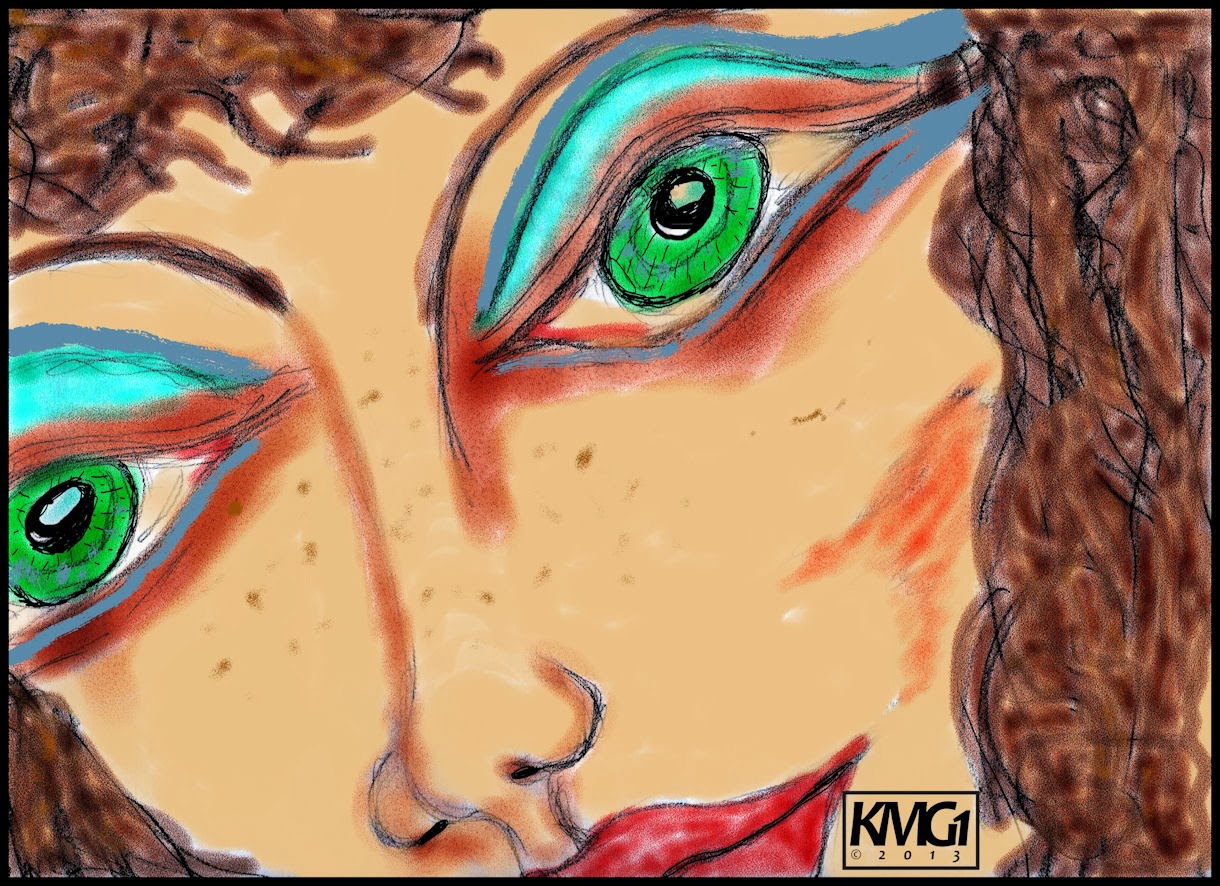
Throughout my Archives I keep finding images, many pencil sketches, of interest to me. I found four today and selected the image you see. "Eye, Nose, Lips 1A," is a pencil sketch of unknown date. I scanned in the pencil sketch with my Canon MP495 with a small amount of cropping. I like the way the face fills the screen, viewed in large mode.

I took this scan and opened it in Corel Painter 11. There I used Watercolor Brushes, Tinting Brushes and Liquid Ink Brushes on it. I painted it for bold color but fairly realistic coloring. I used Painter's Mixer to blend up a flesh tone for the Tinting process for the face. I applied the Liquid Ink as Eye shade color and freckles, using the palette I created with the flesh tone. I saved that iteration at 300dpi.

I opened CorelDRAW to create an Initials copyright symbol. I used Candara Font and drew the characters closer together. I added the copyright symbol and date expanding the characters to fit. Then using a bold line I drew a box around the Initials and copyright. Grouping that I saved it as a native CDR file. Copied and pasted it into the image.

I saved the file again. I opened with Corel PSP Pro X3 and added a 25 pixel black border. Using the Image Information I added a Title, Copyright Information, and Equipment and programs used to create this image. Saving that at the large size I resized to display here and saved that file.

So here I am sharing another older image with a new twist to it, the Corel Painter 11 twist. I used my Wacom Tablet which is ancient and acts like a mouse (i.e. no full screen coverage,) but it still paints better than a mouse.

There is no driver for my Wacom Graphire tablet for Windows 7 32-bit, so I use it carefully as I paint, moving my hand position to the part of the screen I need to be at. It is tedious but worth the time it takes and it paints nothing like a cumbersome Mouse.

NOTE: I researched for a compatible Wacom Driver and selected an older Driver that was compatible with Win XP; I downloaded that and it installed with that compatibility set. Now My Wacom Tablet is working as it should covering the entire screen and is very sensitive to use, more than previously. Kudos to Wacom for this Driver! 

Tuesday, November 26, 2013

"Freehand Drawing Vintage 1980, Acrylic coated Pastel Man" Corel - Canon

Old Man Sleeping India

Pencil and Pastels Man Acrylic Coating


Digging through my past works that my son found stored away I have these to share today.

"The Old Man Sleeping India," was a freehand drawing made from a photograph that my Dad took while stationed in India during the Korean War. It is a circa 1980 Color Pastels Pencils Drawing.

The second image is a fictional "Man's Portrait," done freehand in Pastels, this was drawn on old packing paper, with the brown of the paper showing through. I took a few photographs of it and this was the clearest, I used the flash so you can see the Acrylic Coating Media I used to preserve it.

With both photographs, taken with my Canon Rebel XTi, I adjusted in Corel PSP Pro X3. Cropping, some color enhancements with Saturation, and a framing with boarder on the second image.


Saturday, November 23, 2013

"Freehand Drawing Retro Pencil Sketches" Corel - Canon

Blunt Cut Hair Woman Pencil

Large Eyes Man Pencil

MAC - Amiga - IBM Computers on Iceberg

Not much to explain in the way of workflow on these Retro Pencil Sketches. I scanned two of them in with my Canon MP495 and captured the third with my Canon Rebel XTi camera.

Some adjustments made in KPT Collection, Corel PhotoPaint, Corel PSP Pro X3; in regard to sharpness and clarity and size for posting. As you can see the Pencil Sketches are from 1998 and I don't recall the original date of the Computers Sketch.

I wondered about where my thought process was when I added the Three Competing Computers on an Iceberg! Go Figure! Computing power has come a long way since this MAC and Amiga and IBM PC!


Tuesday, November 12, 2013

"Journey Through My Journals Continues" Corel, Canon

Freehand Young Lady Pencil Drawing

Three Freehand Faces on Colored Paper

Stone Village Evergreen Trees Printout


I keep finding differing images in my Journals. I have a Portrait of a Young Lady, done freehand in Pencil to share. Scanned in with my Canon MP495. I also have Three Freehand Faces on Colored Paper, the paper being dark red but the scan went pink on me, go figure scanners and settings. The last one is a photograph of Evergreen Trees taken at the Stone Village in Jackson, Michigan, years ago.

I used Corel PhotoPaint and Corel PSP Pro X3 for these. I did some slight adjustments for clarity. I am enjoying this trip through my Journals and am constantly surprised at what I find. I had completely forgotten the Freehand Pencil Drawing of the Young Lady. I was glad I found it again to share. Such a simple exercise in drawing, and such a nice result, in my humble opinion.

After some adjustments I had done to these cropped images (cropped during scanning,) I saved the large iterations after adding some Image Information in PSP Pro X3. Then I resized them for display.

Notice anything different? No 2013 Signature, These were done circa the 80's and 90's. I would not care if anyone shared them. But would request that credit be given to me as the Artist, thank you.


Monday, November 11, 2013

"Vector Women, Digital Collage - Dual Faces" Corel - Canon

Brown Hair Green Eyes Vector

Multi-Colored Hair Vector

Dual Faces Collage


Digging further into the detritus of my Art Garden of Journals I discovered some images I wanted to share. Both of the first two images are scans of printouts. They originally started out as Vector Images done in CorelDRAW, saved onto Iomega Zip100 disks I no longer have access to.

I used my Canon MP495 Printer All in One to scan them in and crop. I used Corel PhotoPaint to touch them up slightly with a touch of Tone Curve. I added my signature and saved large iterations and then resampled for display.

The Third Image is a Digital Collage of three scans. One is a Pen and Ink sketch of a German Immigrant Woman. Another is a Pencil sketch of a Sad Man. The last one is the base of color, which if I remember correctly, was a Painter 8 playful painting using varied brushes like Liquid Ink. I cropped and layered all three images, some Tone Curve adjustments and Saturation Vibrancy, as well. Again I added my signature and saved the large files and resampled for display.


Saturday, November 9, 2013

"Grunge Bird of Paradise - Oil Pastels" Corel - Filter Forge

Grunge Bird of Paradise - Oil Pastels


Another Journal image I located, I did this freehand drawing, a fictional "Bird of Paradise in Oil Pastels." I took the scanned in image and cropped it in Corel PhotoPaint. I opened Filter Forge's Photo Effects Vibrancy and boosted the colors a bit.

I then used Photo Effects Grunge tool to add some texture and a grunge frame. I added my signature and saved that larger iteration. I then opened with Corel PSP Pro X3 and added Image Information, Title, Artist, Copyright, etc.

I resized for display here.


Friday, November 8, 2013

"Yellow and Purple Lilies Texture." Corel - Mayang's Textures

Yellow and Purple Lilies Texture


One more Journal image, a freehand Drawing in Pen and Ink and Oil Pastels. "Yellow and Purple Lilies Texture."

I used a Mayang's Texture of glass cubes much like ice cubes strewn about, to add the texture to this image. I used Picasa 3.9 to open with Corel PhotoPaint and cropped the floral there. I Then used the layer property multiply with an opacity of 50% for the Textured Glass fragments.

I added my signature and saved that iteration. I opened with Corel PSP Pro X3. Here I used the Saturation Vibrancy to add punch to the colors. I added Image information: Title, Artist, Copyright, etc. I then resized for display here.

I will be searching some of my other Journals for additional inspiration to share here. I am going to talk with my son, the experimental photographer, to take some photographs of my guitar for future guitar based images, soon.